Every PDF tool you need.One app. One price.
Edit text like a word processor, organize pages with drag & drop, convert to Word and Excel, sign, OCR, compress, and protect — in a fast app that never uploads your documents.
v0.1.0 · 7-day free trial · Windows 10/11 & macOS 11+ · iOS & Android
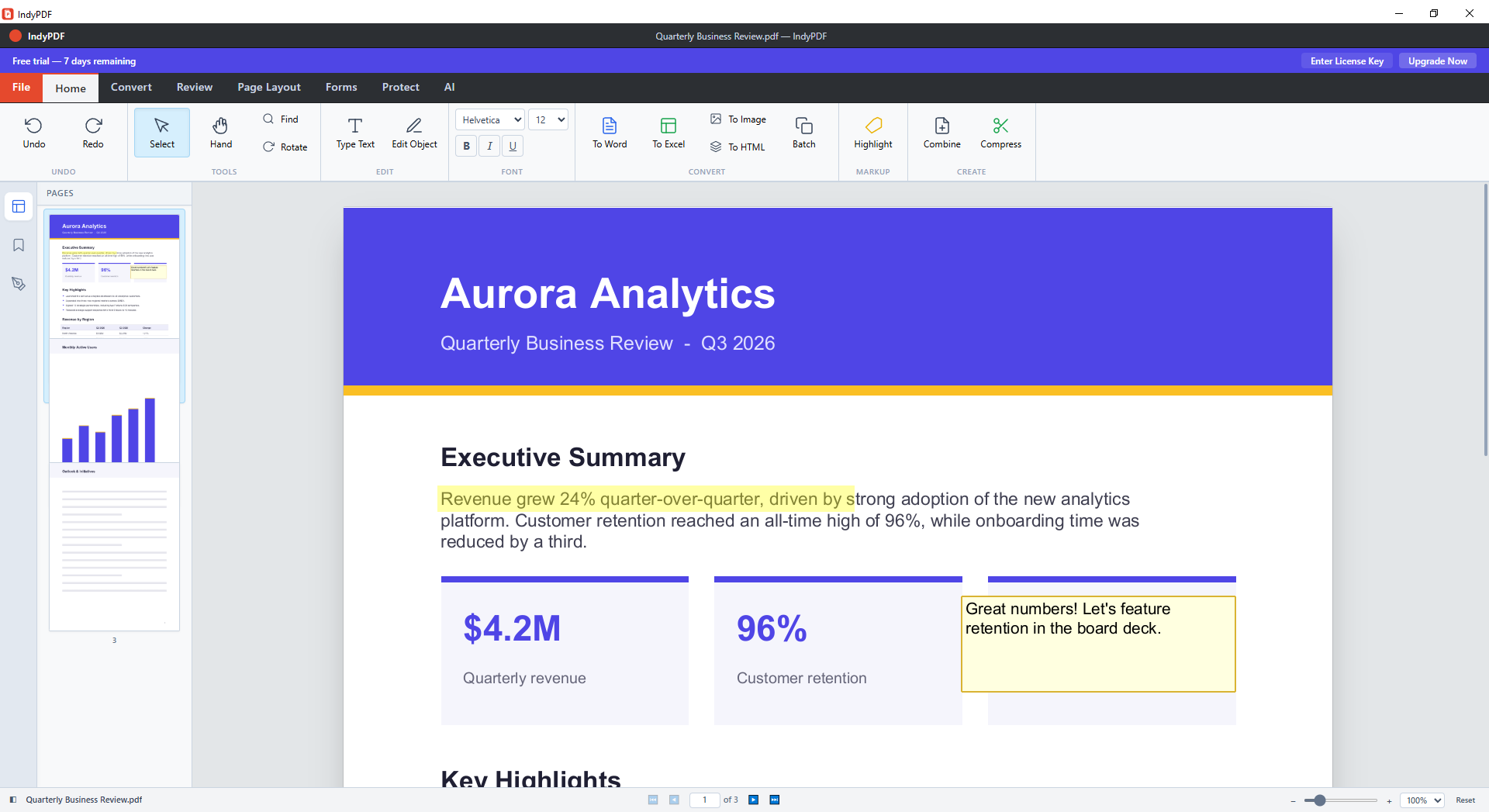
A complete PDF studio for every device
Built from the ground up in Rust for speed and reliability — no bloat, no cloud lock-in.
True text editing
Click any paragraph and type — text reflows naturally with matching fonts, just like a word processor.
Organize pages visually
Rearrange pages with drag & drop, insert from other PDFs, extract, rotate, and delete — all in one grid view.
Convert anything
PDF to Word, Excel, PowerPoint, HTML, and images — with table and layout detection. Word and images back to PDF.
Annotate & review
Highlights, underlines, strikethrough, sticky notes, stamps, and freehand markup for fast document review.
Sign with confidence
Draw, photograph, or reuse saved signatures. Digitally sign with PFX files, USB tokens, or the system certificate store.
OCR scanned documents
Turn scans into searchable, editable PDFs with built-in optical character recognition.
Compress & optimize
Shrink oversized PDFs with smart image downsampling and stream recompression — with quality presets.
Protect & redact
AES encryption, permission controls, and true redaction that permanently removes sensitive content.
Batch processing
Convert entire folders of documents in one pass with per-file progress — PDFs, Word files, and images.
Edit PDFs like they were Word documents
Click into any paragraph and start typing. IndyPDF matches the original fonts, wraps lines, and reflows the paragraph in place — no clumsy overlay boxes, no broken layouts.
- Paragraph editing with automatic reflow
- Font matching for seamless, invisible edits
- Insert new text, images, and links anywhere
- Works on multi-column and complex layouts
Rearrange a 200-page document in seconds
The Organize Pages view shows your whole document as a grid. Drag pages — or whole selections — exactly where you want them, then insert, extract, rotate, or delete without leaving the view.
- Drag & drop single pages or multi-selections
- Insert blank pages or pages from another PDF
- Extract page ranges into new documents
- Every action undoable with Ctrl+Z
Conversions that keep your formatting
IndyPDF detects tables, columns, and alignment when exporting — so spreadsheets land in real Excel cells and Word documents keep their structure. Batch mode converts whole folders at once.
- PDF → Word, Excel, PowerPoint, HTML, PNG
- Ruled-table detection for accurate Excel exports
- Word, images, and text → PDF
- Right-click any file in Explorer to convert
Tables export to real spreadsheet cells
…and everything else you'd expect
One license unlocks the full toolkit. No add-ons, no upsells.
Your documents never leave your computer
Unlike online PDF tools, IndyPDF processes everything locally with its own native engine. Contracts, financials, medical records — nothing is ever uploaded, tracked, or stored in someone else's cloud.
Frequently asked questions
Is IndyPDF really a one-time purchase?
Yes. Pay once and the license is yours forever, including all updates within your major version. No subscription, no recurring fees.
Does the free trial have limitations?
The 7-day trial includes every feature — editing, conversion, OCR, signatures, everything. No credit card required to start.
Are my documents uploaded anywhere?
Never. IndyPDF processes everything locally on your device — desktop and mobile alike. Your files never leave your machine.
Which platforms are supported?
IndyPDF runs on Windows 10/11 (64-bit), macOS 11 (Big Sur) and later as a universal Intel/Apple Silicon build, plus iOS and Android. The desktop installer adds file associations and context-menu integration.
Is there a Mac and mobile version?
Yes. IndyPDF ships as a notarized universal macOS app (.dmg), and the IndyPDF mobile app is available on the App Store for iOS and Google Play for Android.
Stop renting your PDF editor
Get IndyPDF for a single payment of $49.99 — yours forever. Try every feature free for 7 days first.
v0.1.0 · 7-day free trial · Windows 10/11 & macOS 11+ · iOS & Android